




Technical SEO forms the essential, behind-the-scenes foundation that allows search engines to effectively crawl, index, and understand your website, directly influencing its visibility, user experience, and overall performance. While content and backlinks capture attention, factors like site speed, mobile-friendliness, structured data, and a clean site architecture determine whether your pages can compete in search results.
In this guide, we’ll break down the core technical SEO basics every site owner should implement to build a fast, accessible, and search-engine-friendly website that supports your broader digital marketing goals.
Technical SEO Checks That Strengthen Site Performance
What is Technical SEO and Why Does It Matter for Small Businesses?
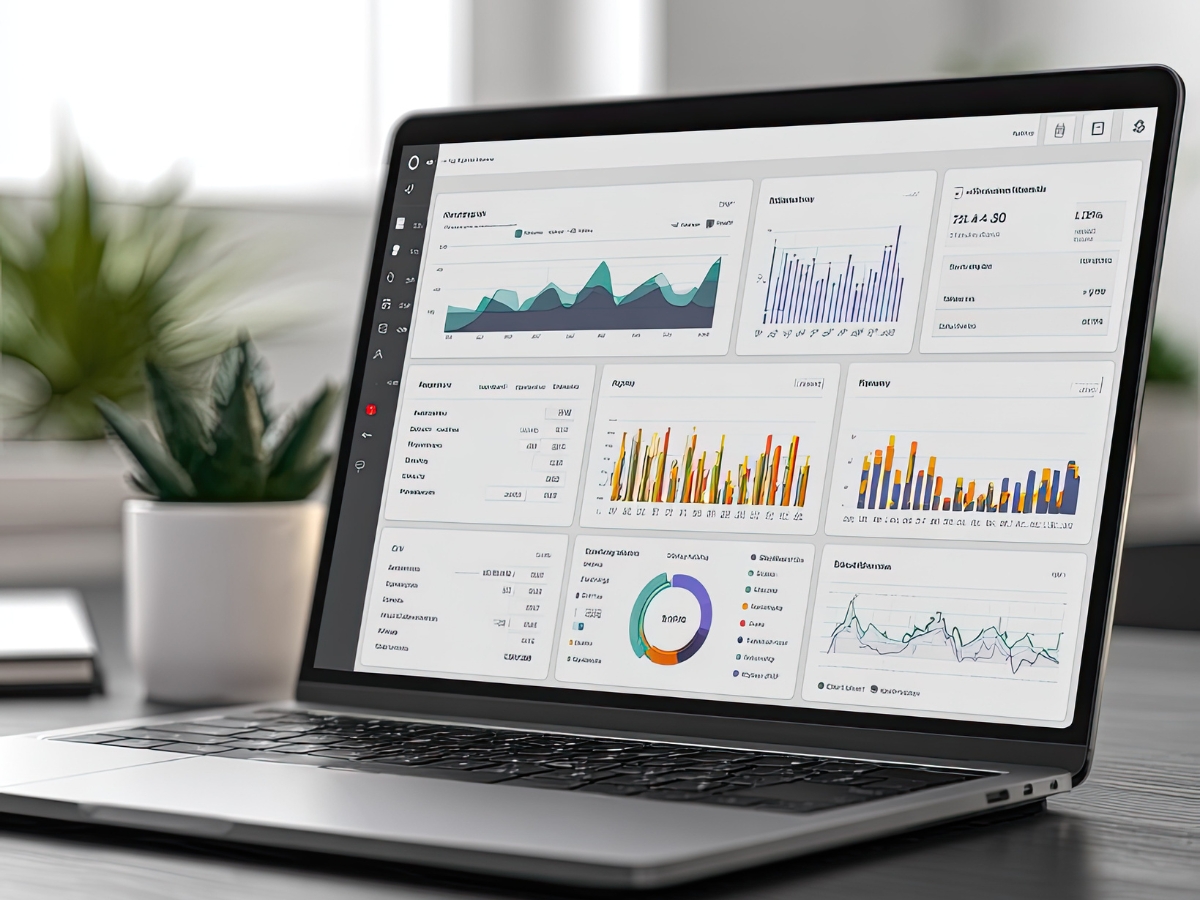
Technical SEO is the behind-the-scenes work that helps a website load quickly, function smoothly, and make sense to search engines. It focuses on improving the site’s infrastructure so Google and other search engines can crawl, understand, and index pages without friction. While content and links matter, technical SEO is often the difference between a site that ranks consistently and one that struggles, even when the writing is strong.
For small businesses, technical SEO matters because it directly affects how potential customers experience the website. If pages load slowly, buttons are hard to tap on a phone, or important pages are difficult for search engines to find, people leave. That lost traffic can turn into lost calls, form submissions, and sales. A technically sound website also signals credibility. Users tend to trust sites that feel fast, clean, and easy to navigate, especially when they are comparing multiple businesses offering similar services.
How Technical SEO Improves Website Performance And User Experience
One of the most noticeable benefits of technical SEO is improved site speed. Faster load times make it easier for visitors to stay engaged, browse more pages, and complete actions like booking or buying. When a site takes too long to load, users often exit quickly, which can increase bounce rates and limit the results you get from your other marketing efforts.
Technical SEO also supports crawlability, which is how easily search engines can move through your site and discover content. When pages are organized well, internal links are clear, and there are no technical barriers, search engines can index more of your site more accurately. That can lead to better visibility across more keywords, especially for service pages, location pages, and blog content.
It also improves usability. A site that is stable, easy to read, and simple to navigate encourages visitors to keep going instead of getting frustrated. When the experience is smooth, users are more likely to trust the business and take the next step.
Key Technical SEO Elements Every Small Business Should Know
Site speed is a core technical SEO priority because it affects both rankings and user behavior. Large image files, heavy scripts, and bloated page layouts can slow a site down quickly. Even small improvements can make a difference, especially on mobile connections.
Mobile-friendliness is another essential element. Most people browse on phones, and they expect pages to load properly, text to be readable without zooming, and buttons to be easy to tap. A responsive design helps ensure your site works across different screen sizes and reduces the chance that mobile visitors will leave out of frustration.
Structured data, often called schema markup, helps search engines understand what your content represents. It can clarify details like business information, services, reviews, and frequently asked questions. While structured data does not guarantee a ranking boost, it can improve how your pages appear in results, which can increase visibility and click-through rates.
When you treat technical SEO as a foundation instead of an afterthought, the rest of your marketing performs better. You can publish content, promote services, and build authority with more confidence because the site is actually set up to support growth.
How Can You Optimize Website Speed For Local Business Success?

Website speed matters for any business, but it can be especially important for local companies that rely on quick decisions. When someone searches for a service nearby, they usually compare a few options, click quickly, and bounce fast if a site feels slow or clunky. Speed also plays a role in how search engines evaluate quality and usability. That is why technical SEO often starts with performance, since a faster site supports better rankings, stronger engagement, and more completed actions like calls, bookings, or form submissions.
For local businesses, improving speed is not about chasing perfection. It is about removing the most common bottlenecks that make pages heavy and slow. When you handle the basics, you typically see the biggest wins with the least effort, and the rest of your technical SEO work tends to perform better because users can actually access your content quickly.
What Are The Best Practices For Image And Code Optimization?
Images are one of the most common causes of slow load times, especially on service pages where large banners, galleries, and before-and-after photos are used. A straightforward fix is image compression. You can reduce file size while keeping quality high enough for normal viewing. The goal is not to make images look blurry, it is to avoid uploading files that are far larger than the page actually needs. Using modern formats can also help, but the biggest impact usually comes from sizing images correctly and compressing them before upload.
Code optimization is another major piece of technical SEO because extra code creates extra work for browsers. Minifying CSS and JavaScript removes unnecessary characters and spaces, which reduces file size and speeds up delivery. It also helps to keep scripts under control. If a site has too many plugins or third-party tools running at once, the browser has to load and process each one, which slows everything down. Cleaning up unused scripts and combining files where appropriate can reduce that drag.
Lazy loading is a practical option for pages with lots of images or videos. Instead of loading every media file at once, the page loads what the user can actually see first, then loads other images as the visitor scrolls. This can improve perceived speed, which is often what matters most to users.
How Do Browser Caching And CDN Enhance Page Load Times?
Browser caching helps returning visitors because it stores certain files on their device, such as images, stylesheets, and scripts. When they come back, the browser does not need to download everything again, which speeds up the experience. Even if someone only visits a few times, caching can still help when they click through multiple pages in one session, since shared files do not need to reload each time.
A Content Delivery Network, often called a CDN, speeds things up by serving your site content from servers that are closer to the user. Instead of every request traveling back to one origin server, a CDN distributes static content across a network, reducing the distance data has to travel. This can be especially helpful when your site has large images, heavy files, or traffic coming from different areas.
When you combine caching and a CDN with clean images and streamlined code, you create a noticeably faster site that is easier for visitors to use and easier for search engines to evaluate. That is why performance is one of the most important technical SEO priorities for local business success.
How To Identify And Fix Crawlability Issues Affecting Your Website?

Crawlability is the foundation of technical SEO because search engines cannot rank pages they cannot reliably access and understand. When crawlability problems exist, important pages may be missed, indexed incorrectly, or treated as low value. For businesses that depend on organic traffic, these issues can quietly reduce visibility, even if the content itself is strong. The good news is that most crawlability problems are fixable once you know what to look for and where search engines are getting stuck.
A practical way to start is to look for symptoms. If key pages are not appearing in search results, if new pages take a long time to show up, or if rankings drop after a site update, crawlability is worth checking. Many site owners focus on keywords and content while technical SEO problems build in the background, especially after redesigns, platform migrations, or plugin changes.
What Role Do Robots.txt And XML Sitemaps Play In Website Indexing?
Your robots.txt file is a set of instructions that tells search engines which parts of your site they are allowed to crawl. Used correctly, it can prevent search engines from wasting time on duplicate pages, internal search results, or low-value areas that do not need to be indexed. Used incorrectly, it can accidentally block important pages, which causes visibility problems that can be hard to spot unless you are checking regularly.
XML sitemaps work differently. They act like a roadmap, listing the pages you want search engines to find and index. A sitemap does not guarantee indexing, but it makes discovery easier, especially for newer sites, large sites, or websites with pages that are not linked strongly from the main navigation. Keeping the sitemap clean is part of technical SEO. It should include your important indexable pages, avoid broken URLs, and stay updated when pages are added, removed, or redirected.
When robots.txt and sitemaps work together, they create clear guidance: search engines know what to crawl, what to ignore, and what you consider most important on the site.
How To Detect And Resolve Broken Links And Redirect Errors?
Broken links and redirect problems affect both users and search engines. When a visitor clicks a link and hits an error page, trust drops and the chance of them staying on the site drops too. Search engines also treat excessive errors and messy redirects as signs of poor site maintenance, which can hold back performance over time.
The easiest way to find these problems is by using Google Search Console along with a crawling tool that scans your site the way a search engine would. Search Console can surface crawl errors, pages blocked by robots, and indexing problems. A crawler can reveal broken internal links, redirect chains, and pages that return errors even if they are still linked from menus, blog posts, or footers.
Once you identify the issues, the fix depends on the cause. If a page was removed or the URL changed, update internal links so they point to the correct destination. If the content was moved to a new address, use a proper 301 redirect so search engines and users land on the new page instead of an error. Avoid redirect chains where one redirect leads to another, since they slow down crawling and can dilute signals.
When you routinely audit links, clean up redirects, and keep indexing signals clear, your technical SEO becomes more stable. That stability helps search engines crawl your site efficiently and helps your pages show up more reliably in search results.
Mastering Core Web Vitals for Small Business Website Success

Core Web Vitals are performance signals that reflect how real people experience your site, not just how it looks in a design mockup. These metrics focus on speed, responsiveness, and visual stability, which are all tied directly to whether visitors feel comfortable staying on the page. For small businesses, this matters because most website traffic has one purpose: get answers fast, compare options, and take action. When a site feels slow or glitchy, users leave and that lost attention can turn into lost leads.
From a technical SEO perspective, Core Web Vitals help search engines evaluate user experience at scale. Strong content still matters, but performance can either support that content or get in the way of it. If your service page takes too long to load, buttons lag when tapped, or page elements shift around while someone is trying to read, the experience feels unreliable. Over time, that can affect engagement, conversions, and how well pages compete in search results.
How To Improve Largest Contentful Paint For Faster Loading
Largest Contentful Paint, often shortened to LCP, measures how quickly the main content of a page becomes visible. In plain terms, it is the moment the page finally looks “ready” to the user. When LCP is slow, people feel like the site is dragging, even if parts of the page load earlier. Improving LCP is one of the most practical technical SEO steps because it usually comes down to a few common fixes.
Images are a big factor. Large banner images and oversized photos can delay the loading of the page’s main content, so sizing and compressing images properly matters. It also helps to avoid loading a heavy image when a smaller version will look the same on screen. Hosting and server performance also play a role. Slow server response times can make even a simple page feel sluggish. Choosing reliable hosting and keeping your site setup clean can improve response speed, especially during traffic spikes.
Lazy loading can help in the right places, but it should be used thoughtfully. Lazy loading is best for images and videos that are below the fold, meaning content users will not see immediately. The main content that appears first should load right away so the page feels fast and stable.
What Are Interaction To Next Paint And Cumulative Layout Shift?
Interaction to Next Paint, or INP, measures how responsive a site feels when a visitor tries to use it. This includes actions like clicking a button, opening a menu, or filling out a form. A site can look fine but still feel frustrating if it delays those interactions. Improving INP usually means reducing heavy scripts, limiting third-party tools, and making sure the site is not overloaded with plugins that run in the background. Streamlining code is a technical SEO win because it improves both performance and usability.
Cumulative Layout Shift, known as CLS, measures visual stability. This is the metric that captures that annoying experience of the page moving as you try to read or tap something. Layout shifts often happen when images, ads, or embedded elements load without reserved space. You can reduce CLS by defining image dimensions, reserving space for dynamic elements, and avoiding late-loading banners that push content down the page.
When you treat Core Web Vitals as part of your technical SEO foundation, you create a website that loads quickly, responds smoothly, and feels trustworthy to visitors. That combination supports rankings, improves engagement, and makes your site more effective at turning traffic into real business results.
How Does Implementing Schema Markup Boost Local SEO And Website Visibility?

Schema markup is structured data you add to your website so search engines can better understand what your pages represent. Instead of guessing whether a page is describing a business location, a service area, or a list of questions and answers, Google can read that context more clearly. From a technical SEO standpoint, schema is one of the cleaner ways to reduce ambiguity and help your site communicate important details in a format search engines prefer.
For local businesses, that clarity can translate into better visibility in search results. Schema does not guarantee higher rankings, but it can improve how your listings appear by making them eligible for rich results, such as enhanced snippets, FAQ drop-downs, or clearer business details. When your result takes up more space and answers common questions right on the results page, it can attract more clicks from people who are already close to making a decision.
What Types Of Schema Markup Are Essential For Small Businesses?
LocalBusiness schema is one of the most useful starting points because it helps search engines confirm key details about your business, such as name, address, phone number, and sometimes hours and service area. For local SEO, consistency matters. When your site clearly supports the same business information found across listings and profiles, it reduces confusion and supports stronger local signals.
Service schema can also be helpful when you want search engines to understand what you offer, especially if your business has multiple services or service pages. It provides a clearer framework for describing the service, the area you serve, and how it connects to the rest of your site content. This supports technical SEO by improving how content is interpreted, particularly when service names are similar across competitors.
FAQ schema is useful when you have a section that answers common customer questions. It can help those questions appear directly in search results, which may improve click-through rates and reduce friction for people comparing options. The key is to only mark up real FAQs that appear on the page. Schema should match visible content, not added text that only exists for search engines.
How To Add And Validate Schema Markup On Your Website?
There are a few practical ways to add schema, but the goal is the same: create valid structured data that matches what users can see on the page. Google’s Structured Data Markup Helper can guide you through creating code for certain schema types. After you generate the markup, you add it to the page HTML, usually as JSON-LD. Many website platforms and SEO plugins also offer schema settings, which can be a simpler approach if you are not working directly in code.
Once schema is added, validation is the step that keeps technical SEO clean. Use Google’s Rich Results Test to confirm the markup is readable and eligible for enhancement. You can also check Search Console for structured data reports, which can show errors, warnings, or pages where Google detected markup successfully. If you see issues, fix them promptly, because an invalid schema does not help and can create confusion about what content should be trusted.
When schema is implemented correctly, it becomes a practical technical SEO upgrade that supports local visibility and helps your site stand out in competitive search results.
Why Is Website Security And Mobile-Friendliness Crucial For Technical SEO?

Security and mobile usability are two of the clearest signals of a well-maintained website. They affect how people experience your site and how search engines evaluate it. If a site feels risky or frustrating to use on a phone, visitors leave. When that happens consistently, it undermines the results of every other effort you make, from content creation to local optimization. That is why technical SEO often starts with getting the basics right: a secure connection and a mobile experience that works without extra effort from the user.
For many small business websites, these issues show up quietly. A site can look fine on a desktop but be hard to navigate on a phone. It can also appear normal until a browser warns users that it is not secure. Those friction points reduce trust quickly, and trust is hard to win back once a visitor feels uncertain.
How Does HTTPS And SSL Improve Website Trust And Rankings?
HTTPS is the secure version of HTTP. It encrypts the information exchanged between the visitor and your site, which helps protect data like form submissions, logins, and payment details. Even if your site does not process payments, encryption still matters because users expect modern websites to be secure by default. When people see a browser warning that a site is not secure, many will leave immediately. That is a direct hit to user experience and a common technical SEO problem that can be fixed quickly.
An SSL certificate enables HTTPS and also verifies that your site is legitimate. In practical terms, it helps reassure users that they are interacting with the real business website and not an unsafe copy. Google has also confirmed that HTTPS is a ranking signal, which means it can influence visibility. While it is not the only factor, it is part of the technical SEO foundation that supports long-term performance.
What Are Best Practices For Responsive Design And Mobile Usability?
Mobile-friendliness is no longer optional. Most people search on phones, especially for local services, and they expect pages to load quickly and behave normally. A responsive design is the baseline. It means the layout adapts to different screen sizes so text is readable, images scale correctly, and page elements do not overlap. When a site forces users to pinch and zoom or scroll sideways, it feels outdated and difficult to use.
Touch-friendly design is just as important. Buttons, links, and menus need enough space so users can tap accurately. When a visitor tries to click a phone number or open a menu and hits the wrong link, frustration builds fast. This is one of those technical SEO details that does not sound dramatic, but it affects whether someone stays on the page long enough to convert.
Speed also matters more on mobile because connections can be slower and devices vary. Optimizing images, reducing heavy scripts, and keeping code lean helps mobile pages load faster and feel smoother. Improving load time supports both mobile usability and technical SEO, since performance ties directly into user behavior and search engine evaluation.
How Security And Mobile Fit Into A Technical SEO Strategy
Security and mobile-friendliness are not separate from technical SEO. They are core pieces of it. When your site runs on HTTPS, loads quickly, and works well on a phone, it becomes easier for users to trust what they are seeing. It also becomes easier for search engines to treat the site as reliable and competitive. If you want technical SEO improvements that have real impact, tightening security and mobile usability are two of the most practical places to start.
Frequently Asked Questions

What Are The Common Technical SEO Mistakes Small Businesses Make?
Many small businesses run into technical SEO problems because the site looks fine on the surface, so the backend issues get ignored. One of the most common mistakes is letting site speed slip. Large images, heavy plugins, and cluttered scripts can slow pages down quickly, especially on mobile. Another frequent issue is skipping structured data. Without schema markup, search engines have a harder time understanding key details like services, locations, and FAQs, which can limit visibility in enhanced search results.
Broken links and crawl errors also tend to build up over time. Pages get renamed, blog posts get updated, or old URLs get deleted, but internal links and redirects are not cleaned up. That creates a poor experience for visitors and makes it harder for search engines to crawl the site efficiently. Mobile issues are another big one. A site can look fine on a desktop but feel frustrating on a phone if text is small, buttons are hard to tap, or pages load slowly. Finally, some businesses still overlook HTTPS security, which can trigger browser warnings and reduce trust. Staying on top of these areas is a practical way to keep technical SEO stable and competitive.
How Often Should I Perform Technical SEO Audits On My Website?
A good rule is to run a technical SEO audit at least quarterly. That schedule catches problems before they pile up and helps you spot performance drops early. If you make major changes, like redesigning the site, migrating platforms, adding a new section, or changing URL structure, it is smart to audit more often until everything settles. Even routine updates can introduce issues, especially when plugins or themes change.
Regular audits help you find broken links, slow pages, indexing problems, and mobile usability issues before they start affecting traffic. They also help you confirm that your technical SEO foundation is still supporting your content, rather than quietly holding it back.
Can Technical SEO Impact My Website’s Conversion Rates?
Yes, technical SEO can influence conversions because it shapes how easy the site is to use. A faster site reduces friction, which makes visitors more likely to stay long enough to read, browse, and take action. Mobile usability matters even more for local and service-based businesses, where people often want quick information, clear navigation, and an easy way to complete a form or tap a phone number.
When technical issues get in the way, people leave. Slow loading times, confusing layouts, broken links, and unexpected page shifts create frustration. Even when the offer is strong, a poor experience can reduce trust and lower conversion rates.
What Tools Can I Use To Monitor My Website’s Technical SEO Performance?
Google Search Console is one of the most useful tools because it shows indexing status, crawl errors, and search performance insights. It can help you spot pages that are not being indexed, errors that block crawling, and issues that need attention. PageSpeed Insights is also helpful for performance because it highlights speed problems and Core Web Vitals.
If you want a broader view, tools like SEMrush, Ahrefs, and Moz can help track site health, identify technical issues, and monitor visibility changes over time. GTmetrix is another option for diagnosing load time problems and finding what is slowing a page down. Using a combination of these tools makes technical SEO easier to manage because you can see both the problems and their impact.
How Does Technical SEO Differ From On-Page And Off-Page SEO?
Technical SEO focuses on how the website is built and whether search engines can crawl, understand, and index it efficiently. It covers things like site speed, mobile usability, security, crawlability, structured data, and site architecture. On-page SEO focuses on individual pages, including content quality, keyword use, headings, internal links, and metadata. Off-page SEO covers signals outside the website, such as backlinks, brand mentions, and other authority-building factors. All three support each other, but technical SEO is the foundation that allows the other two to perform well.
What Is The Importance Of Mobile Optimization In Technical SEO?
Mobile optimization is critical because most users browse on phones, and search engines evaluate sites with mobile-first indexing in mind. A mobile-friendly site loads quickly, displays content clearly, and makes it easy to tap buttons and navigate menus. When mobile pages are slow or difficult to use, bounce rates rise and engagement drops, which can reduce performance over time.
From a technical SEO perspective, mobile optimization supports speed, usability, and stability. It also helps you compete in local search, where users often need fast answers and are comparing options quickly. Keeping the mobile experience strong is one of the most practical technical SEO improvements a small business can make.
Conclusion
Mastering technical SEO is the essential foundation for a high-performing website that ranks well and delivers a superior user experience. While optimizing content is crucial, factors like site speed, mobile responsiveness, and proper indexing are what allow search engines to find, understand, and reward your pages. If auditing and fixing these technical elements feels overwhelming, partner with the experts at Newman Web Solutions.
Ready to build a faster, stronger website? Call (404) 301-9189 or schedule your free 30-minute strategy session today to discuss your technical SEO needs. Let’s optimize your site’s performance from the ground up.